2026 — macOS App

ETA
A Mac menu bar app that follows one flight for you.
2026 — macOS App
A Mac menu bar app that follows one flight for you.
Type a flight number and forget about it. ETA lives in the menu bar as a small route line with the plane on it, next to the time left. One click drops down the rest: a live map, both airports' times, and every minute of delay. It pings you when the flight departs, lands, or slips, and it keeps your keys in the Keychain, with no accounts, no analytics and no tracking.
The look
ETA takes its cues from Massimo Vignelli's 1972 work for the New York subway. A flight is drawn as a line between two stations. One typeface, flat surfaces, black hairline rules and a single line blue. Green means on time, red means late. No glass, no gradients, no nested cards.
Colour
Type
TK1983 20:18
Helvetica Neue throughout. Bold for flight numbers, airport codes and headers, Regular for everything else, fixed-width figures for times.
01
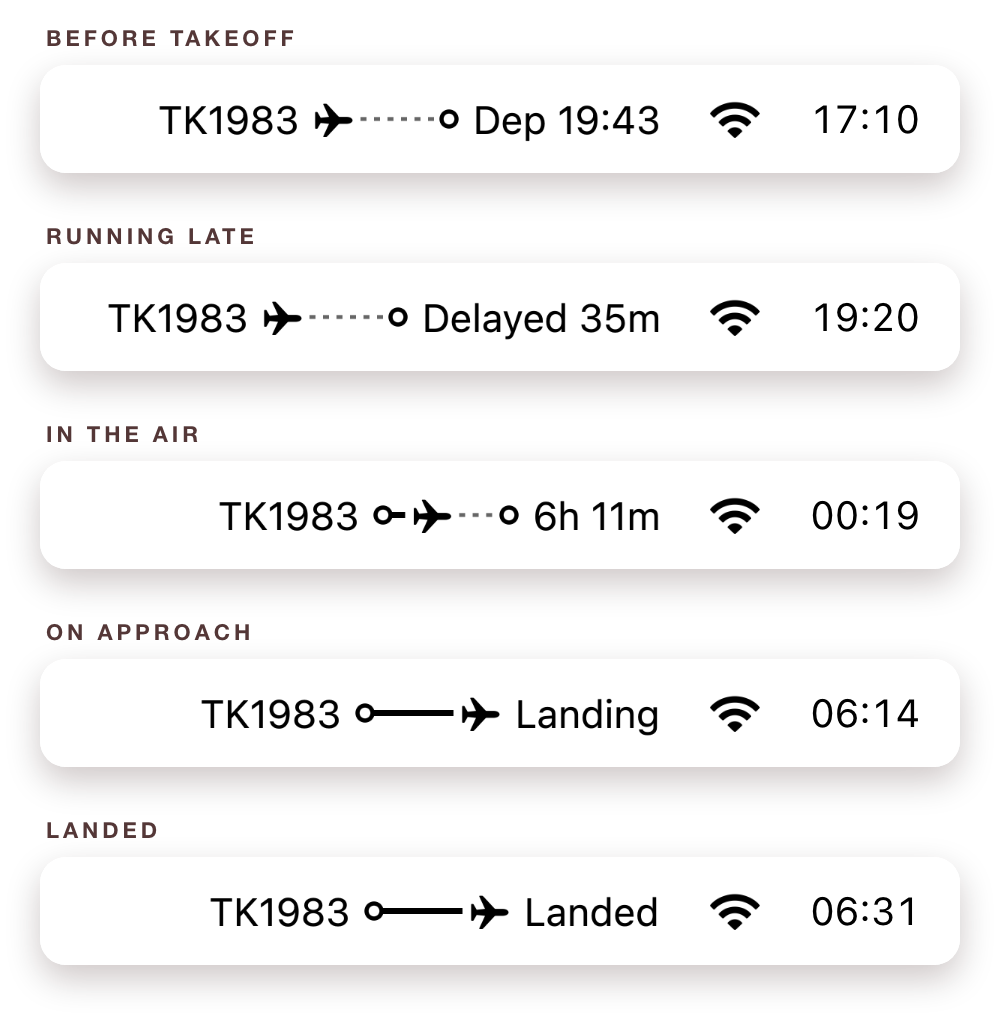
The whole trip in one line of the menu bar: flight number, a tiny route with the plane on it, and the time left. Before takeoff it shows the departure time, or how late it's running. Close to the ground it says Landing.
02
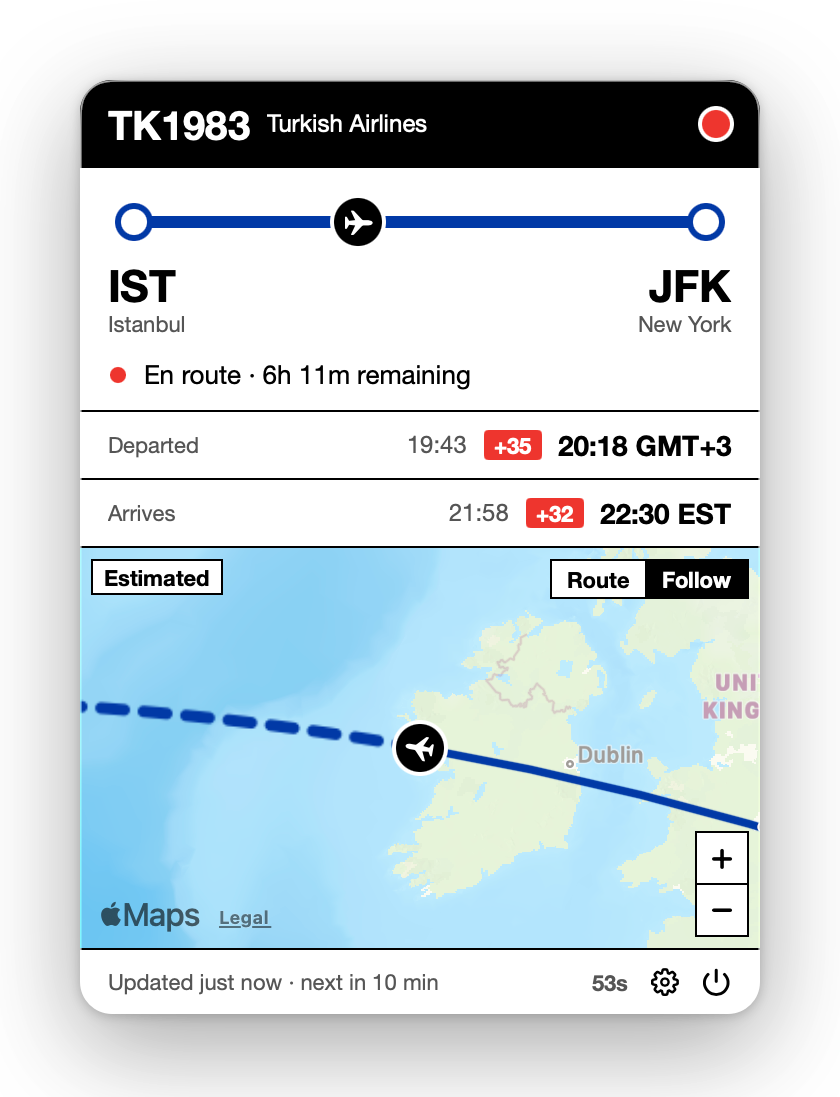
Click the line and the panel drops down. The route as a station line, departure and arrival in each airport's own time, a red badge for every minute of delay, and a live map that follows the plane.
03
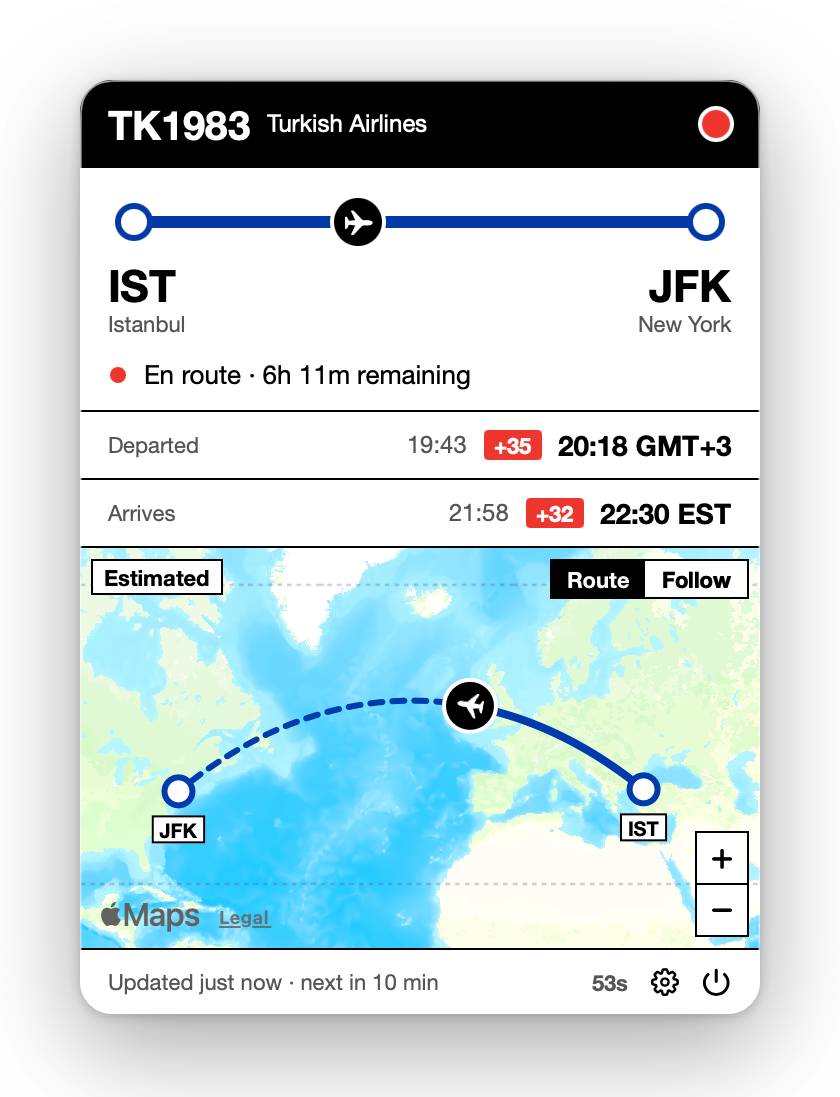
Follow keeps the plane in the middle. Route steps back to show the whole trip, the flown path solid and the rest dashed. Positions come from public ADS-B receivers, so the dot is where the aircraft really is.
04
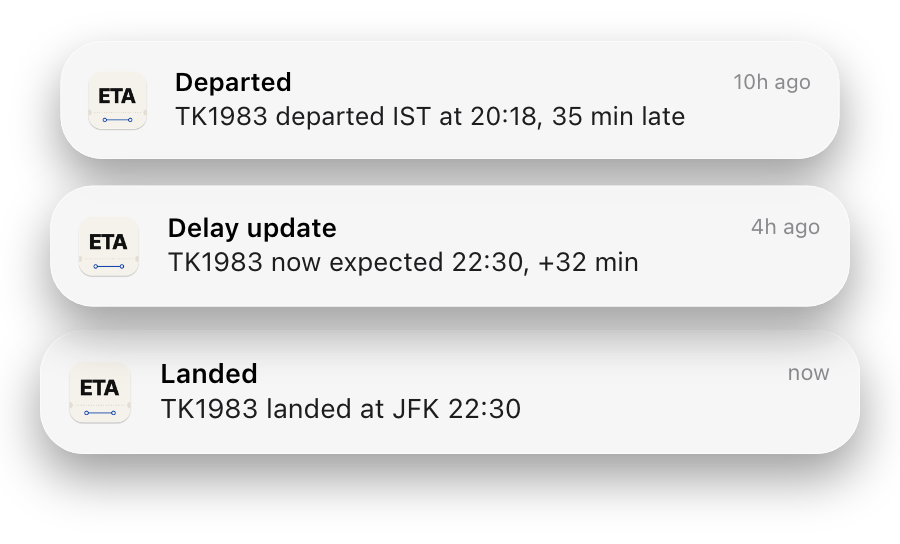
A tap on the shoulder only when it matters: when the flight departs, lands, is cancelled or diverted, or when its delay moves by ten minutes or more.